Integrating Milou with Ghostwriter
Ghostwriter is a popular reporting and engagement management platform widely used by cybersecurity consultants and internal security teams. Integrating Milou with Ghostwriter allows you to streamline your workflow by pushing assessment data, client information, and findings directly from Milou into your Ghostwriter instance.
Prerequisites
Before configuring the integration, ensure you have:
- A running Ghostwriter instance (version 5.0.0 or later recommended).
- A Ghostwriter API Token. This can be generated from your user profile in Ghostwriter (see API Token Generation below).
- The full base URL of your Ghostwriter instance (e.g.,
https://ghostwriter.example.com). - Network accessibility from your Milou instance to your Ghostwriter instance's API endpoints.
API Token Generation
To generate an API token in Ghostwriter:
- Log in to your Ghostwriter instance with your account
- Click on your profile name/icon in the top-right corner
- Select "Profile" from the dropdown menu
- Scroll down to the "API Tokens" section
- Click "Create Token" button
- Provide a name for your token (e.g., "Milou Integration")
- Select an appropriate expiration date for the token
- Click "Create" to generate the token
- Copy the generated token immediately as it will not be shown again
Alternatively, after logging in, you can directly navigate to /api/token/create in your Ghostwriter instance to create a new token.
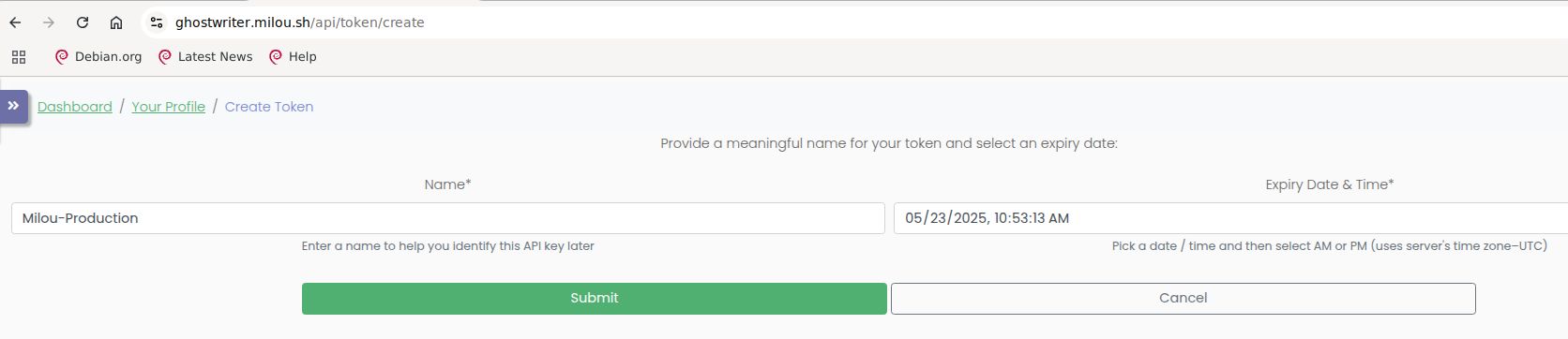
Configuring Ghostwriter Integration in Milou
- Navigate to Integration Settings:
- In Milou, go to Configuration > Integrations > Reporting Platforms.
- Select "GhostWriter" from the available integration types.
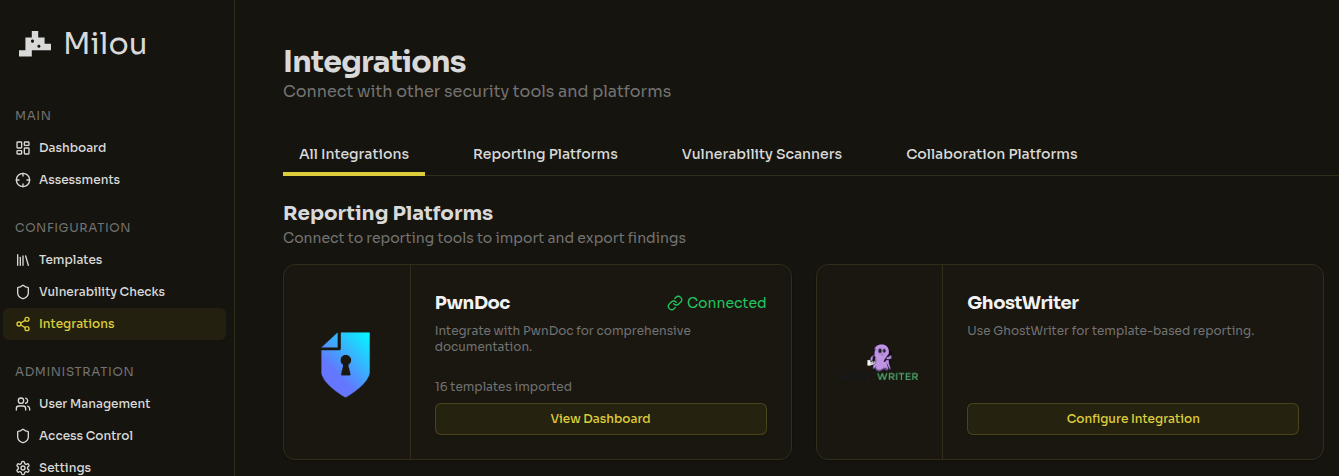
-
Configure Ghostwriter Connection:
- You will see a configuration form with the following required fields:
- Server URL: The full base URL of your Ghostwriter instance (e.g.,
https://ghostwriter.example.com). Do not include a trailing slash. - API Token: Paste the API token obtained from your Ghostwriter profile.
- Server URL: The full base URL of your Ghostwriter instance (e.g.,
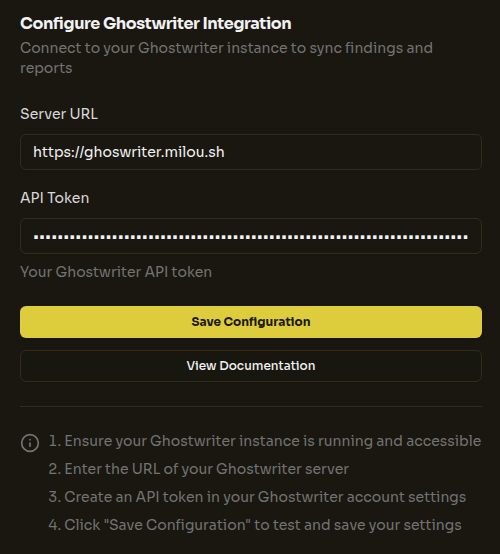
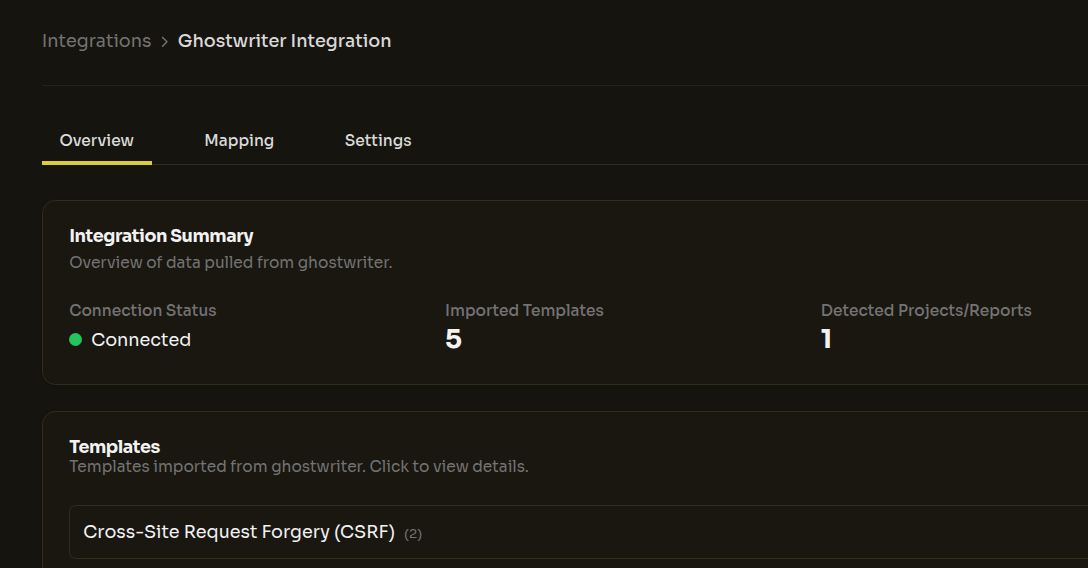
After entering your credentials, click the "Save Configuration" button. Upon successful connection, Milou will automatically synchronize with your Ghostwriter instance and display:
- The number of templates imported from Ghostwriter
- The number of projects/reports detected in your Ghostwriter instance
- You will see a configuration form with the following required fields:
Field Mapping Details
Milou implements a highly flexible mapping system to translate data between its internal structures and Ghostwriter's GraphQL API requirements. This dynamic system adapts to your specific needs and configuration:
- Fully Customizable Field Mapping: The integration automatically handles all standard fields (title, description, impact, etc.) while supporting any custom fields you've defined in either system.
- Adaptable Metadata Support: Preserves all metadata, custom attributes, and specialized fields like CVSS scores, detection techniques, and affected entities.
- Report Structure Compatibility: Maintains your preferred report organization and structure when transferring between systems.
- Real-time Synchronization: The mapping system dynamically updates to reflect changes in either platform's configuration.
The integration is designed to be completely non-invasive - it works with your existing structures rather than forcing you to adapt to rigid requirements. This ensures that teams can maintain their workflows while benefiting from integration capabilities.
All mappings are handled automatically in the backend with a JSON-based configuration system, allowing for straightforward customization when needed. For organizations with specialized requirements, the mapping architecture supports full customization to accommodate unique workflows, specialized fields, and custom report formats.
Next Steps
- Configure PwnDoc Integration if you use PwnDoc.
- Learn how to use reporting integrations (Link to be added to relevant User Guide section).
- Return to the Instance Configuration Overview.