Integrating Milou with PwnDoc
PwnDoc is an open-source penetration testing reporting application that helps security professionals create detailed and customizable reports. Integrating Milou with PwnDoc allows for a streamlined workflow where findings documented in Milou can be easily pushed to your PwnDoc instance.
Prerequisites
Before configuring the integration, ensure you have:
- A running PwnDoc instance.
- A PwnDoc account - username and password .
- The full base URL of your PwnDoc instance (e.g.,
https://pwndoc.example.com). - Network accessibility from your Milou instance to your PwnDoc instance's API endpoints.
Configuring PwnDoc Integration in Milou
-
Navigate to Integration Settings:
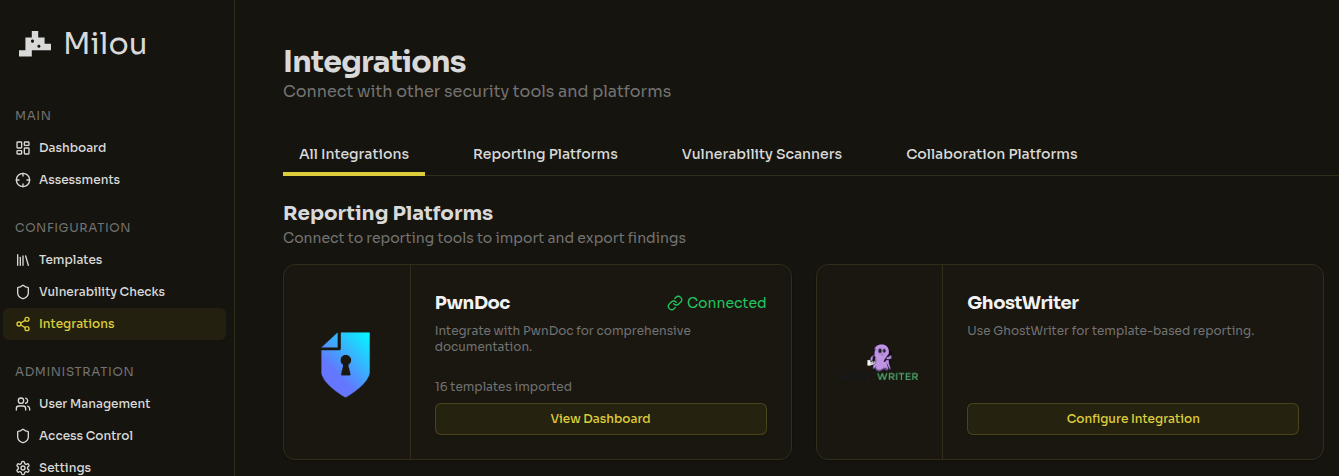
- In Milou, go to Configuration > Integrations > Reporting Platforms.
- Select "PwnDoc" from the available integration types.
-
Configure PwnDoc Connection:
- You will see a configuration form with the following required fields:
- Server URL: The full base URL of your PwnDoc instance (e.g.,
https://pwndoc.example.com). Do not include a trailing slash. - Username: Your PwnDoc username.
- Password: Your PwnDoc password.
- Server URL: The full base URL of your PwnDoc instance (e.g.,
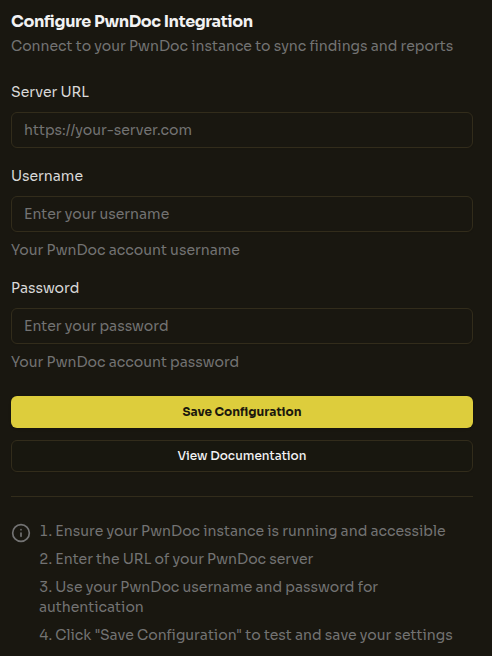
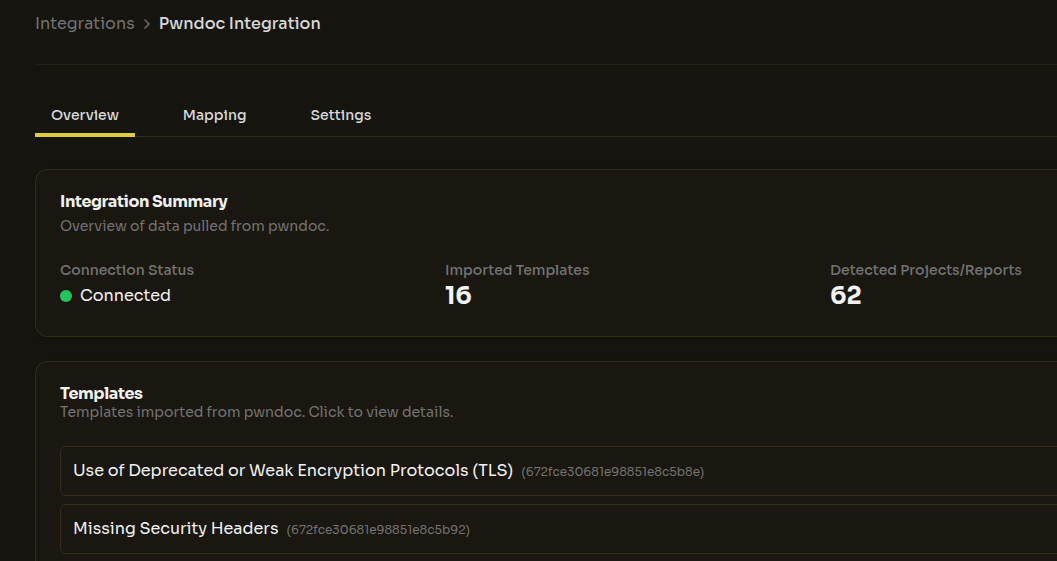
After entering your credentials, click the "Save Configuration" button. Milou will test the connection first, and upon successful authentication, will proceed to save your configuration. Milou will then automatically:
- Map available templates from PwnDoc to vulnerability checks in Milou
- Connect to your PwnDoc instance to access audits (projects) for future finding exports
- You will see a configuration form with the following required fields:
Field Mapping Details
Milou implements a highly flexible mapping system to translate data between its internal structures and Ghostwriter's GraphQL API requirements. This dynamic system adapts to your specific needs and configuration:
- Fully Customizable Field Mapping: The integration automatically handles all standard fields (title, description, impact, etc.) while supporting any custom fields you've defined in either system.
- Adaptable Metadata Support: Preserves all metadata, custom attributes, and specialized fields like CVSS scores, detection techniques, and affected entities.
- Report Structure Compatibility: Maintains your preferred report organization and structure when transferring between systems.
- Real-time Synchronization: The mapping system dynamically updates to reflect changes in either platform's configuration.
The integration is designed to be completely non-invasive - it works with your existing structures rather than forcing you to adapt to rigid requirements. This ensures that teams can maintain their workflows while benefiting from integration capabilities.
All mappings are handled automatically in the backend with a JSON-based configuration system, allowing for straightforward customization when needed. For organizations with specialized requirements, the mapping architecture supports full customization to accommodate unique workflows, specialized fields, and custom report formats.
Next Steps
- Configure Ghostwriter Integration if you use Ghostwriter.
- Learn how to use reporting integrations (Link to be added to relevant User Guide section).
- Return to the Instance Configuration Overview.